
One display. Your pages.
A screen that rotates through what your household actually looks at — the calendar, the weather, your photos, the game — each for as long as you like, on the schedule you set.
From /month after your free trial.
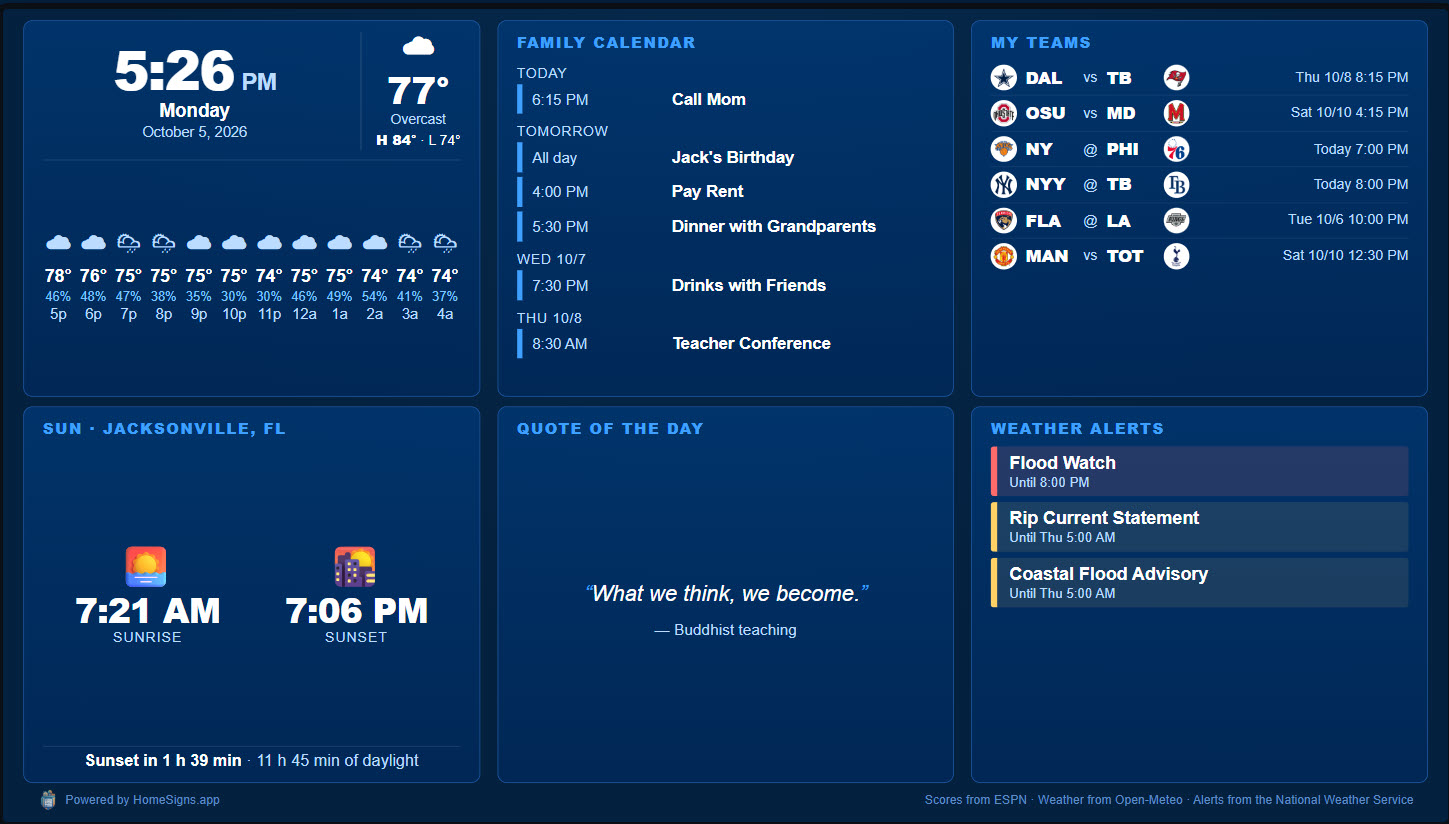
Pages you can put on your screen
Add as many as you want to each screen’s playlist. Every one is set up from your account in a minute — no code, no config files.
Calendar
Your Google, Apple or Outlook calendars, merged into one family agenda.
Weather
Now, today and the week ahead, with severe weather alerts for your area.
Hurricane tracker
Active storms and their forecast tracks through the season.
Sports scores
Live and final scores: NFL, college, NBA, WNBA, MLB, NHL, MLS and top soccer leagues.
Team page
Your team’s schedule, results and standings, live during the game.
Photo frame
Upload up to 25 of your own photos, or show a shared album from your own Immich server.
Countdowns
Birthdays, holidays, the next trip — with one of your photos behind it.
Family notices
Short messages for the household that disappear on the date you choose.
Morning brief
The weather, today’s events and what’s coming up, on one screen.
News headlines
Headlines from the news sources you pick.
Dashboard
Several of these side by side as tiles, for a screen that shows it all at once.
Any web address
Your Home Assistant dashboard, a camera page, a status board — anything with a URL.
Some websites refuse to be shown inside another page. On a Web Kiosk those won’t display; the Google TV app and Raspberry Pi kiosk show them directly. Compare screens.
Each screen, its own playlist
The kitchen shows the calendar and the weather; the living room shows photos and the game. You decide.
- Timing per page — 30 seconds on the weather, two minutes on the calendar.
- Schedules — the morning brief before school, scores on game night.
- Saved playlists — set one up once and reuse it on another screen.
- Your defaults — home location, calendars and teams entered once, used everywhere.
- Preview any page from your phone before it goes on the wall.
Add ThemeParkSigns
Planning a trip? Put live wait times and park hours into the same playlist, between the calendar and the photos.